
Small businesses usually want three things when they go looking for the best A/B testing tool: useful features, simple setup, and a price that doesn’t require a meeting with Finance.
Unfortunately, many “A/B testing tools for small businesses” lists are packed with enterprise platforms that cost thousands of dollars and practically require their own experimentation department.
You don’t need all that to test a headline, redesign a product page, or find out whether your new checkout is actually better.
So, we narrowed the options down to seven best A/B testing tools that smaller teams can realistically afford and use. Here’s how they compare.
The best A/B testing tools for small businesses at a glance
Here’s the short version, because nobody should have to read 3,000 words before discovering that a tool’s starting price is “book a demo.”
| Tool | Best for | A/B testing price | Free access | No-code editor | Built-in research tools |
|---|---|---|---|---|---|
| FigPii | Combining website testing and visitor research | Free plan available | Free plan | Yes | Heatmaps, session recordings, polls, and surveys |
| Zoho PageSense | Budget-conscious businesses wanting an all-in-one CRO platform | From $30/month | 15-day trial; free analytics plan excludes A/B testing | Yes | Heatmaps, recordings, funnels, form analytics, and polls |
| Crazy Egg | Beginners who want visual insights before testing changes | From $99/month, billed annually | 30-day trial | Yes | Heatmaps, recordings, surveys, funnels, and error tracking |
| OptiMonk | Ecommerce businesses testing offers, messaging, and on-site experiences | Free; paid plans from $29/month | Free up to 10,000 monthly pageviews | Yes | No heatmaps or recordings |
| Unbounce | Building and testing dedicated landing pages | From $149/month or $112/month annually | 14-day trial | Yes | Conversion reporting, but no heatmaps or recordings |
| VWO | Growing teams with more advanced experimentation needs | Custom pricing | 30-day trial; no permanent free plan | Yes | Heatmaps, recordings, funnels, and form analytics are available through VWO Insights |
| GrowthBook | Developer-led SaaS and product teams | Free; Pro costs $40 per user/month | Free for up to three users | Visual editor on Pro | Product analytics, but no heatmaps or recordings |
Prices were checked in September 2026. Several tools base their final price on traffic volume, pageviews, features, or billing frequency.
How we chose these A/B testing tools
While choosing the best A/B testing tools for small businesses, here’s everything we took into account:
- Affordability: Does the plan that actually includes A/B testing fit a small-business budget?
- Ease of use: Can a small team install the tool and launch an A/B test without weeks of setup?
- No-code testing: Can marketers create basic variations without asking a developer?
- Targeting and reporting: Can users control who enters a test and understand the results?
- Small-team usability: Is the platform useful without a dedicated CRO specialist?
- Research capabilities: Does it provide heatmaps, recordings, surveys, or other ways to find meaningful test ideas?
- Cost of growth: Does the price remain reasonable as website traffic and testing activity increase?
We also checked current pricing, traffic limits, free plans, and trials instead of judging the tools by their cheapest advertised plan.
The 7 best A/B testing tools for small businesses
FigPii: Best overall A/B testing tool for small businesses
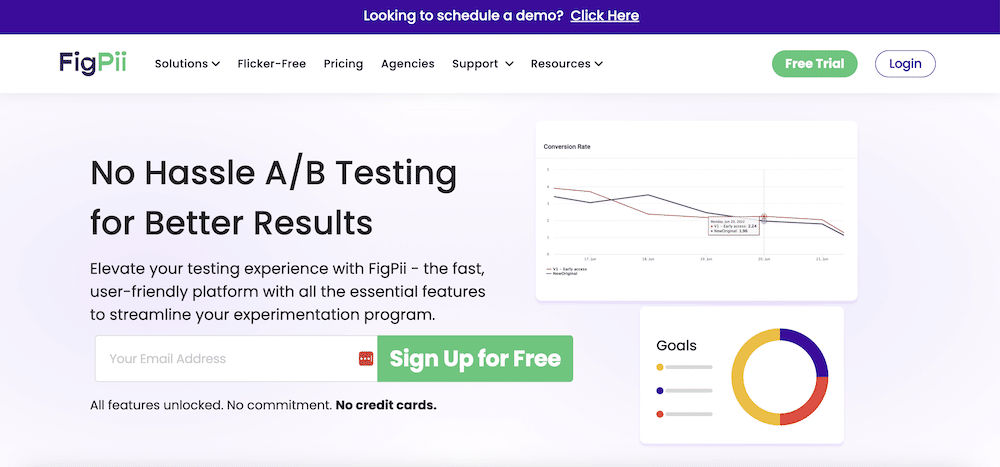
Want to run A/B tests without paying enterprise prices or asking a developer to build every variation?
FigPii is built for you. You can choose which pages and visitor groups enter a test (such as mobile users or returning visitors), decide how much traffic sees each variation, and measure success through purchases, sign-ups, clicks, or other actions.
Its visual editor helps you create variations by changing the copy, images, buttons, or layout directly on the page. If the experiment requires something more complex, you can add custom code too.
FigPii also saves you from staring at your website and wondering, “Okay… what should I test?”
Heatmaps and session recordings show where visitors get stuck. Polls and surveys help you understand why. You can then turn what you learn into an A/B test without moving between several different tools.
Another major FigPii advantage is how quickly it loads test variations. FigPii reports a variation loading time of 114 milliseconds and loads test files only on pages included in the experiment, helping tests run without visibly slowing or changing the page.
Key features:
- Test multiple page variations: Compare two or more versions of the same webpage.
- Compare complete page designs: Use split URL tests to test pages hosted on different URLs.
- Create variations directly on the page: Edit text, images, buttons, and other elements without changing the website’s code.
- Target specific visitors: Run tests for groups such as mobile users, new visitors, returning visitors, or people arriving from a particular campaign.
- Control how traffic is divided: Choose what percentage of visitors see each variation.
- Find stronger test ideas: Use heatmaps, session recordings, polls, and surveys to identify what may be stopping visitors from converting.
Best for: Small ecommerce and SaaS teams that want to run A/B tests on website pages and use heatmaps, recordings, and visitor feedback to decide what to test.
Pricing: The Free Tester plan includes unlimited A/B tests for up to 15,000 monthly visitors. Paid all-in-one plans cost $149.99/month for 30,000 visitors, $299.99/month for 60,000, and $449.99/month for 100,000.
What makes FigPii useful for small businesses? FigPii combines visitor research and A/B testing, allowing small teams to identify a problem, develop a test idea, and validate the proposed fix without using multiple platforms.
Limitations: FigPii is designed for testing website pages, not changes inside software products or mobile apps.
Zoho PageSense: Best budget-friendly CRO suite
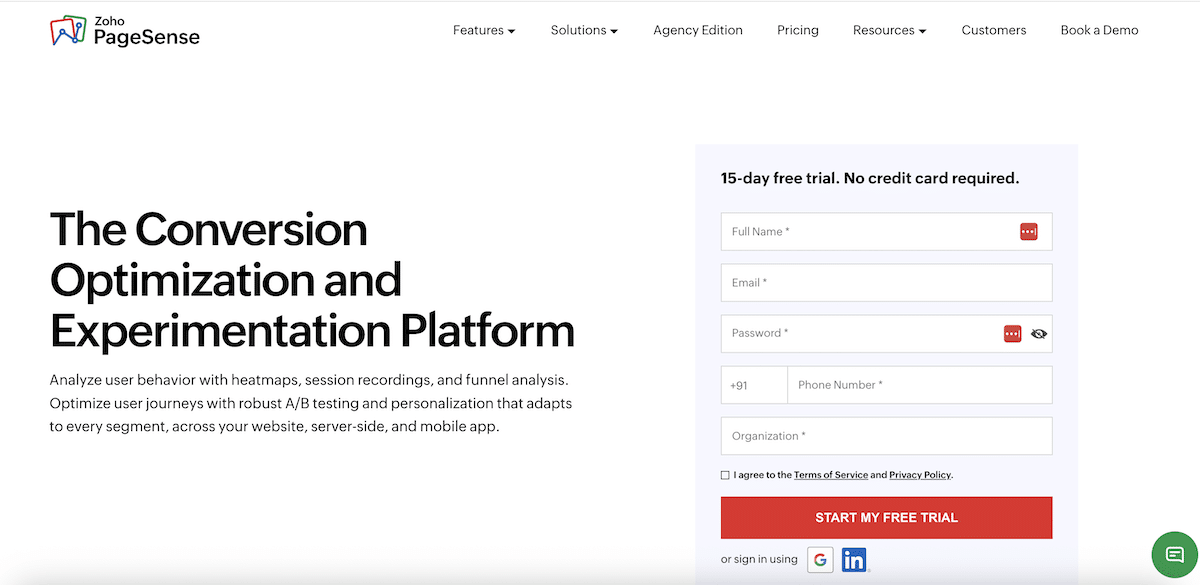
Zoho PageSense is a suitable A/B testing platform for low-traffic businesses that want several CRO tools in one account and are already comfortable with the Zoho ecosystem.
Its Enterprise plan includes A/B and split URL testing alongside heatmaps, session recordings, funnels, form analysis, and surveys. You can create simple variations directly on the page, choose which visitors enter a test, and track purchases, clicks, or form submissions.
The low starting price is appealing, although the entry testing plan covers only 10,000 monthly visitors.
Key features:
- Run A/B and split URL tests: Test smaller page changes or compare complete pages hosted on separate URLs.
- Create variations visually: Change copy, images, buttons, and colors directly on the page.
- Choose who enters a test: Include visitors based on device, location, traffic source, or previous behavior.
- Track conversions: Measure purchases, revenue, clicks, page visits, form submissions, and custom actions.
- Research visitor problems: Use heatmaps, recordings, funnels, and form reports to identify friction.
Best for: Low-traffic businesses already using Zoho products that want testing and website research tools in one paid subscription.
Pricing: The free plan covers up to 5,000 monthly visitors but does not include A/B testing. The Enterprise plan starts at $49 per month, or around $30 per month with annual billing, for 10,000 visitors.
What makes Zoho PageSense useful for small businesses? It offers holistic CRO features at a low paid starting price and connects with products like Zoho CRM and Zoho One.
Limitations: A/B testing is only available on the Enterprise plan, and active experiments pause when you reach the monthly visitor limit. Its entry plan covers just 10,000 visitors, so the cost advantage becomes less compelling as traffic grows.
Crazy Egg: Best for beginner-friendly visual testing
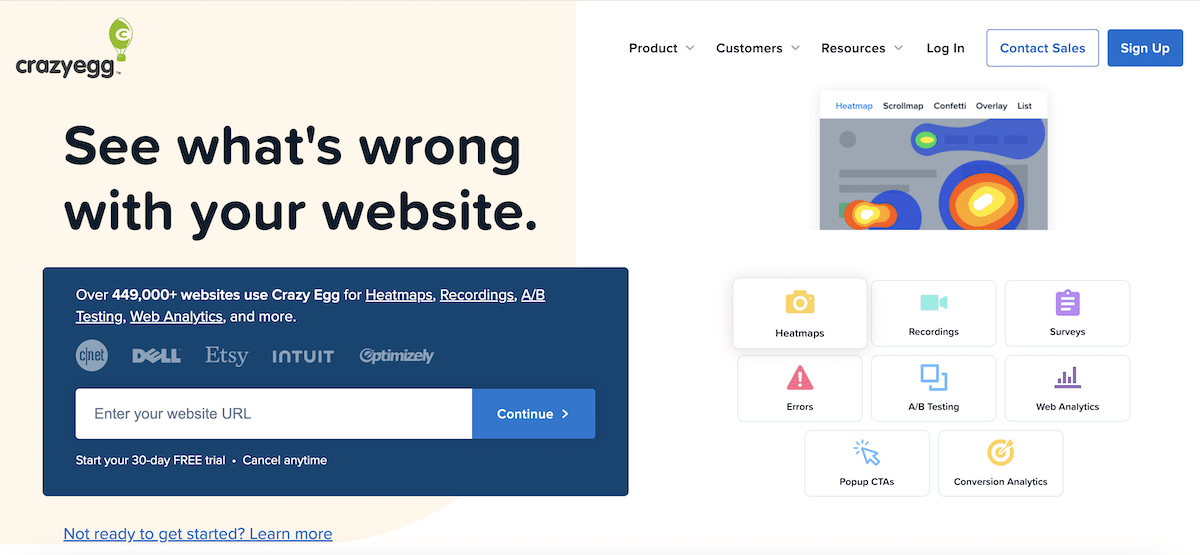
Crazy Egg is a heatmap tool first, and that shapes how its A/B testing works. Each test variation gets its own visual reports, allowing you to compare where visitors clicked, how far they scrolled, and which page elements they ignored.
The testing itself is straightforward. Edit an existing page with its visual editor or split visitors between two different URLs, making it suitable for visible website changes rather than complex product experiments.
Key features:
- Create page variations visually: Change copy, colors, images, buttons, and other page elements.
- Compare complete page designs: Send visitors to different URLs to test major redesigns or landing pages.
- Choose who enters the test: Include visitors based on their device, location, campaign, or other conditions available on your plan.
- View a heatmap for each version: See how clicks and scrolling changed instead of relying only on the final conversion numbers.
Best for: Small marketing teams that want heatmaps to guide straightforward website tests.
Pricing: A/B testing is not included in the $29/month Starter plan. It begins with the Plus plan at $99/month, billed annually, for 150,000 tracked pageviews, unlimited tests, 75 heatmap reports, and 1,000 recordings.
What makes Crazy Egg useful for small businesses? The workflow is easy to follow. You just spot a problem in a heatmap or recording, test a change, and compare how visitors behaved on each version.
Limitations: The visual editor does not support gated pages such as logged-in areas, carts, or checkout pages. More detailed visitor targeting also requires the $249/month Pro plan.
OptiMonk: Best for ecommerce experimentation
OptiMonk focuses on the decisions online stores make every day, like free shipping versus a discount, one exit-popup message versus another, or different product-page copy.
It can compare campaign variations, edit store content visually, or send visitors to entirely different pages. Shopify stores can also connect results to orders and revenue, rather than choosing a winner based only on clicks.
Key features:
- Test pop-ups and on-site messages: Compare wording, design, calls to action, or timing across campaigns.
- Compare entirely different pages: Divide visitors between separate URLs to test redesigns or different shopping journeys.
- Measure sales impact: Track conversions, orders, and revenue from Shopify campaigns.
- Personalize the experience: Show different content based on a visitor’s location, interests, or previous behavior.
Best for: Small Shopify and WooCommerce stores that mainly want to test offers, popups, and product-page messaging.
Pricing: The free plan includes all features for up to 10,000 monthly pageviews on one domain. Paid plans start from $29/month (or $19/month when billed annually) for 20,000 pageviews.
What makes OptiMonk useful for small businesses? Its test formats match common ecommerce decisions, while the Shopify reporting shows whether a change produced more orders and revenue.
Limitations: OptiMonk doesn’t include heatmaps or session recordings, so you may need another tool to understand why shoppers are dropping off. Its limits also count every pageview, even when no OptiMonk campaign appears, so smaller plans can fill quickly.
Unbounce: Best for landing-page A/B testing
Unbounce does not add tests to pages already on your website. Instead, you build and host landing pages inside Unbounce, duplicate a page, change the new version, and divide your campaign traffic between them.
That makes it particularly useful for testing landing pages created for Google Ads, social campaigns, lead magnets, or product launches without repeatedly asking someone to update the main website.
Key features:
- Build landing pages from scratch: Use templates and a drag-and-drop builder to create pages, forms, popups, and sticky bars.
- Track landing-page conversions: Measure form submissions, button clicks, and other actions selected as conversion goals.
- Route visitors automatically: The higher-priced Optimize plan can send each visitor to the version it predicts they are most likely to respond to.
Best for: Small marketing teams that regularly create landing pages for paid advertising and want page building, hosting, and testing in one tool.
Pricing: A/B testing starts with the Experiment plan at $149/month, or $112/month when billed annually. It includes unlimited tests and page variations for up to 30,000 monthly visitors.
What makes Unbounce useful for small businesses? You can create the landing page and every test version in the same builder, making it faster to test campaign ideas without changing your main website.
Limitations: Unbounce is mainly for landing pages created within its platform. It is not designed to test navigation, product pages, checkout flows, or other existing pages across an entire website.
VWO: Best for businesses with more advanced testing needs
VWO earns the “advanced” label because it gives businesses more control over their experiments. Beyond standard A/B and split URL tests, it can test multiple page elements at once, keep related tests from overlapping visitors, and monitor key business results that a new version should not harm.
You can still make simple changes using its visual editor, while developers can use code for more complex tests.
Key features:
- Run four types of website tests: Test one page, make coordinated changes across several pages, compare different URLs, or test combinations of multiple page elements.
- Target precise visitor groups: Include people based on their device, traffic source, location, campaign, operating system, or whether they are new or returning.
- Test changes inside a product: VWO’s separate Feature Experimentation product supports tests involving software features, apps, and behind-the-scenes code.
- Connect testing data with other tools: Combine results with data from platforms such as Google Analytics and BigQuery.
Best for: Growing businesses with steady website traffic, a regular testing program, and someone who plans and analyzes experiments.
Pricing: VWO pricing depends on the plan and number of monthly tracked users. Its published 2026 pricing lists website A/B testing plans from $112/month when billed annually, with a 30-day trial available.
What makes VWO useful for small businesses? Its extra controls become valuable when a business tests several visitor groups, pages, or ideas at the same time and needs clean results.
Limitations: Many of its most useful controls, including detailed targeting, guardrail metrics, and mutually exclusive test groups, require Pro or Enterprise plans. Heatmaps, recordings, surveys, and feature testing are also separate VWO products and aren’t automatically included with website testing.
GrowthBook: Best for developer-led SaaS teams
GrowthBook approaches A/B testing differently from most tools on this list. Instead of focusing mainly on changing website pages, it focuses on testing changes to a software product.
Developers can release a new feature behind a feature flag, show different versions to different user groups, and measure whether the change improves metrics such as sign-ups, feature adoption, retention, or revenue.
GrowthBook also connects experimentation with product analytics. Teams can use the same metrics for experiments and dashboards, analyze funnels and product behavior, and work with data from their existing warehouse rather than maintaining a separate set of experiment metrics.
Key features:
- Test product features: Use feature flags to compare different versions of features, interfaces, algorithms, or other changes inside a website or application.
- Control who receives each variation: Target users by attributes and segments, or gradually roll out a feature to a percentage of users.
- Use your existing product data: Define experiment metrics using data from your warehouse and reuse the same metrics across experiments and product analytics.
- Run visual website tests: The Pro plan includes a visual editor for creating website variations without coding, including changes to copy, layouts, images, CSS, and JavaScript.
Best for: Small SaaS and product teams with developers that want to test website and in-product changes.
Pricing: The free Starter plan supports up to three users and includes unlimited feature flags, experiments, and traffic. Pro costs $40 per user per month and adds the visual editor and more advanced experimentation features.
What makes GrowthBook useful for small businesses? The free plan allows unlimited experiments and traffic, making it useful for SaaS teams that expect their testing volume to grow.
Limitations: GrowthBook requires more technical setup than most tools on this list, and its visual editor is only available on Pro. It also lacks visitor-research tools such as heatmaps and session recordings.
Which A/B testing tool should you choose?
No single A/B testing tool is best for every small business. The right choice depends on what you’re testing, how much traffic you have, and whether you need help finding test ideas as well as running them.
Here’s the simplest way to choose:
- Choose FigPii if you want A/B testing, heatmaps, session recordings, polls, and surveys in one platform.
- Choose Zoho PageSense if budget is your main concern and your website has relatively low traffic.
- Choose Crazy Egg if you want simple visual website testing backed by heatmaps and recordings.
- Choose OptiMonk if you run an ecommerce store and mainly want to test offers, popups, messaging, and product-page content.
- Choose Unbounce if most of your experiments happen on standalone landing pages for ads or campaigns.
- Choose VWO if you run tests regularly and need more advanced targeting, experiment types, and controls.
- Choose GrowthBook if you’re a developer-led SaaS or product team testing features rather than just marketing pages.
For most small businesses trying to improve an existing website, FigPii offers the most complete package because it covers both sides of experimentation: finding conversion problems and testing potential fixes.
Can a small business get reliable A/B test results?
Yes, but the important number isn’t just traffic. It’s how many conversions that traffic produces.
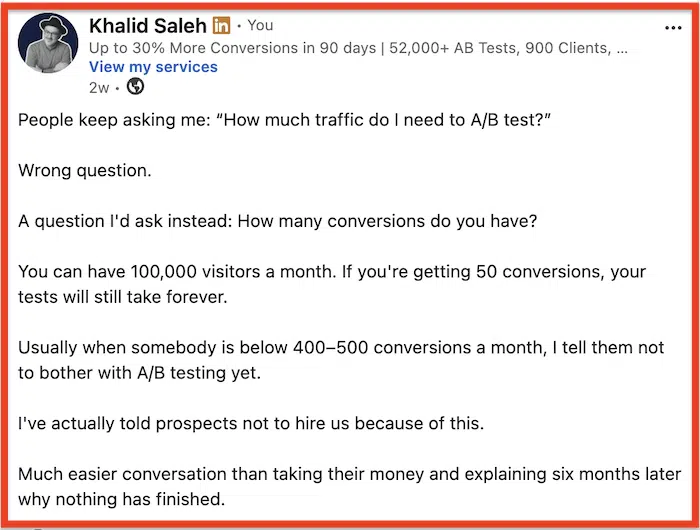
Khalid Saleh, CEO of Invesp, uses 400–500 conversions per month as a practical threshold. Below that, he often advises businesses not to run A/B tests yet. As he points out, even a site receiving 100,000 visitors a month could struggle to test if only 50 of those visitors convert.
The math shows why.
For example, Optimizely’s sample-size calculator estimates that with:
- 2% baseline conversion rate
- 10% minimum detectable improvement
- 95% statistical significance
You’d need around 90,000 visitors per variation, or 180,000 visitors for a simple A/B test.
Lower-traffic businesses therefore have to be realistic about what they test. Detecting tiny improvements can require huge samples. Larger changes are easier to detect because they require less data.
So, instead of spending months testing:
- Button colors
- Tiny wording changes
- Minor spacing changes
Focus on changes that could have a larger effect:
- A different offer
- A new value proposition
- A redesigned product page
- A shorter form
- A different pricing presentation
- A simpler checkout
Test duration matters too. Microsoft’s Experimentation Platform typically runs A/B tests for seven days and specifically warns that treatment effects can vary by day of the week.
So don’t stop a test simply because one variation is winning after two or three days. Decide how much data you need first, then let the experiment collect it.
How to choose an A/B testing tool for your small business
Decide what you want to test.
Start with the experiments you’re actually likely to run.
For example:
- Website pages: Look for A/B testing and a visual editor.
- Landing pages: A platform such as Unbounce may make more sense.
- Ecommerce offers and messaging: Look at tools built around ecommerce experimentation.
- Product features: You’ll likely need feature flags and product experimentation rather than a standard website testing tool.
There’s little value in paying for advanced experimentation features if you only plan to change headlines, images, and page layouts.
Turn what you learn about visitors into tested improvements
A/B testing works best when you’re testing a real problem rather than making random changes and hoping conversions go up.
FigPii gives you heatmaps, session recordings, polls, and surveys to see where visitors struggle and what may be stopping them from converting. You can then turn those insights into experiments and measure whether the change actually helped.
That means you can go from finding a problem to testing the solution without piecing together several different tools.
FAQs About the Best A/B Testing Tools for Small Businesses
What is the best A/B testing tool for small businesses?
FigPii is the best overall option for most small businesses because it combines A/B testing with heatmaps, session recordings, polls, and surveys. For more specialized needs, consider OptiMonk for ecommerce, Unbounce for landing pages, or GrowthBook for product experiments.
What is the best free A/B testing tool?
FigPii offers unlimited A/B tests for up to 15,000 monthly visitors on its free plan. GrowthBook is another strong free option for developer-led teams running product and feature experiments.
How much website traffic do you need for A/B testing?
There’s no fixed traffic requirement because sample size depends on your conversion rate and the size of the change you want to detect. As a practical rule of thumb, Invesp CEO Khalid Saleh recommends having around 400–500 conversions per month before investing heavily in A/B testing.
How long should a small business run an A/B test?
Most tests should run for at least one full week to capture differences in visitor behavior across days. More importantly, don’t stop until you’ve collected the sample size needed for a reliable result.
Can you run A/B tests without a developer?
Yes. Tools with visual editors let marketers test changes to copy, images, buttons, and layouts without coding. More complex experiments involving checkout logic, dynamic content, or product features may still require a developer.
What is the best Google Optimize alternative for small businesses?
FigPii is a strong Google Optimize alternative for small businesses because it combines visual A/B testing with heatmaps, recordings, polls, and surveys. VWO is better suited to businesses that need more advanced experimentation features.